
How to delete my account
Accounts can be deleted in Settings. When accounts are deleted, all data is immediately deleted. The deletion is permanent and irreversible.
If you no longer want to use Coywolf Contact, you can delete your account. Deleting your account will immediately delete all of your data and cannot be undone.
Steps to delete your account and all associated data.
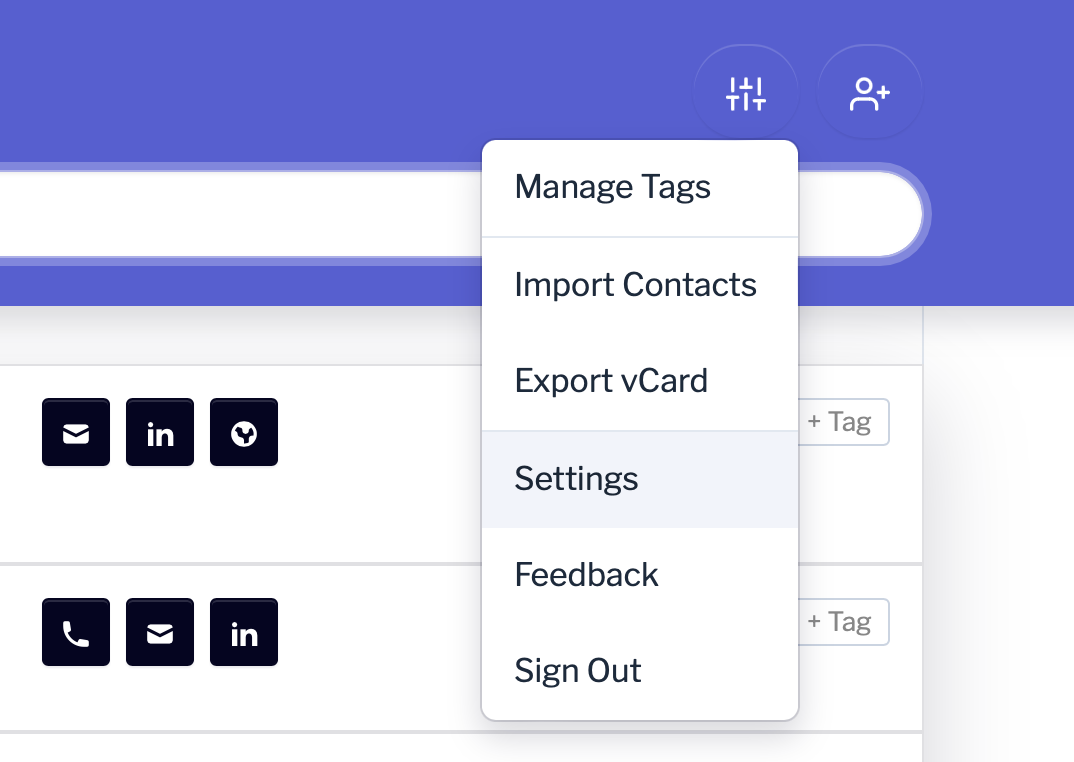
- Go to Settings
Click the Settings icon and then click on Settings
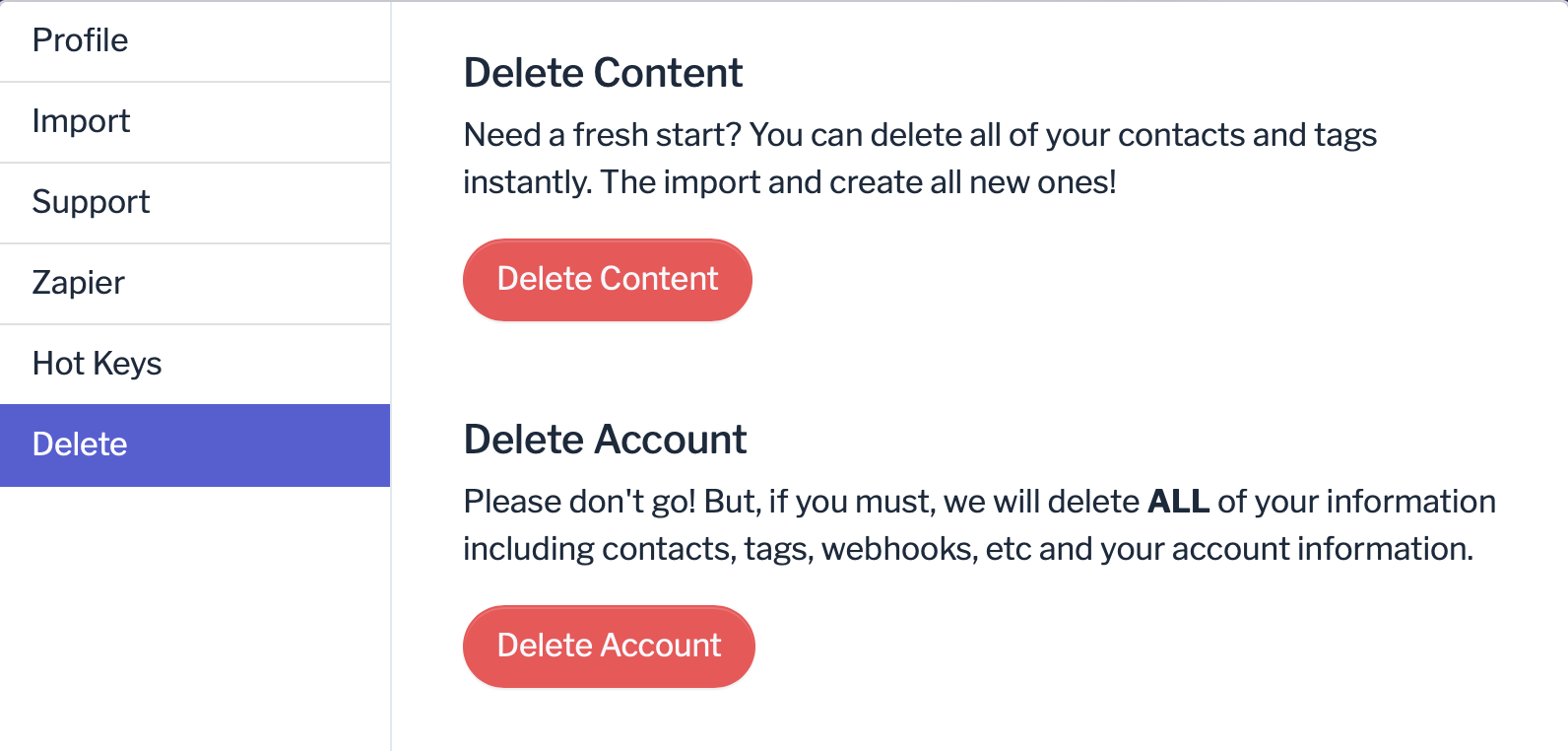
- Delete Account
Click on Delete and then click on the Delete Account button.
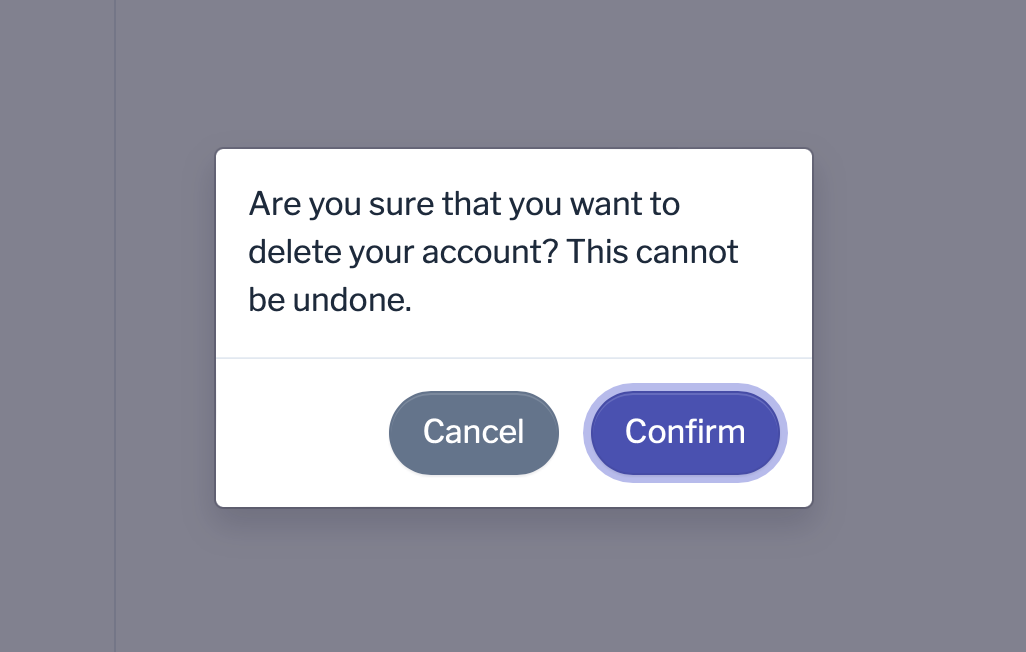
- Confirm account deletion
Click the Confirm button if you want to permanently delete your account and all data, or click the Cancel button if you want to keep your account and its data.

Jon Henshaw is the founder of Coywolf and an industry veteran with almost three decades of SEO, digital marketing, and web technologies experience. Follow @jon@henshaw.social