
How to manually import contact records from Google Contacts
The best manual method for importing multiple contact records from Google Contacts into Coywolf Contact is to export them as a single multi-contact vCard.
To import contact records from Google Contacts, you must first export them as a vCard.
- Go to the Google Contacts web app
Contact records used in Google apps like Gmail are stored in Google Contacts. To export the contacts you must navigate and login to contacts.google.com.

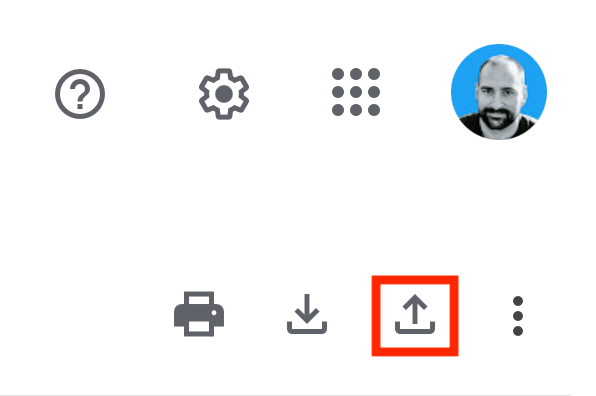
- Click on Export contacts
In the upper-right corner of the Google Contacts web app, click on the Export icon.
- Choose contacts and vCard export option
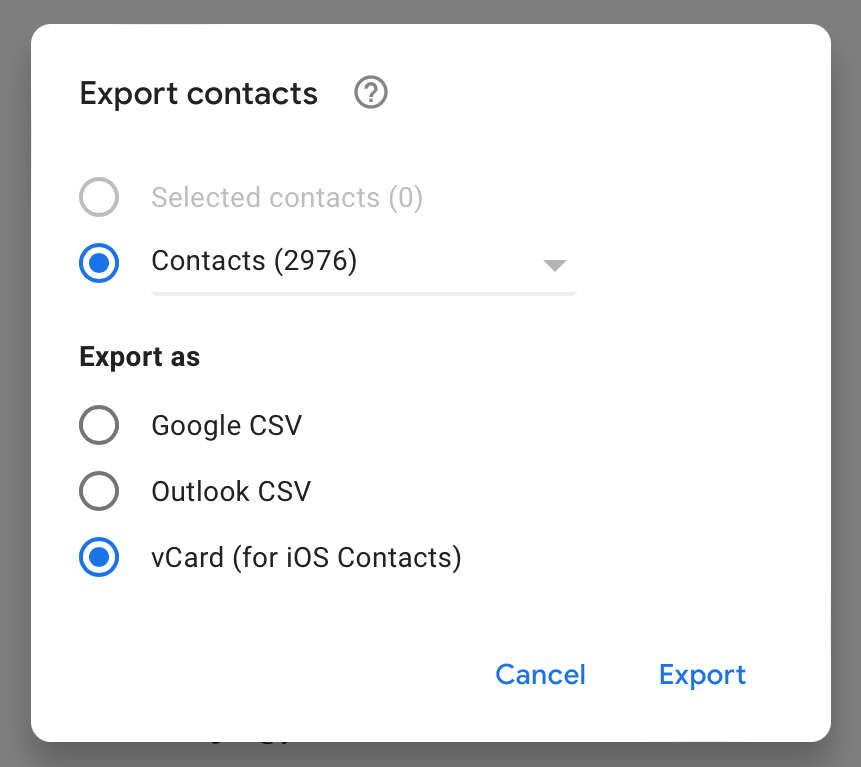
Select the contacts you want to export and then select vCard for the Export as option.
- Import into Contacts by Coywolf
In the Contacts by Coywolf web app, click on the Settings icon and then choose Import vCard. Find and choose the file you exported from Google Contacts.


Jon Henshaw is the founder of Coywolf and an industry veteran with almost three decades of SEO, digital marketing, and web technologies experience. Follow @jon@henshaw.social